


Release notes for version 2.1.0
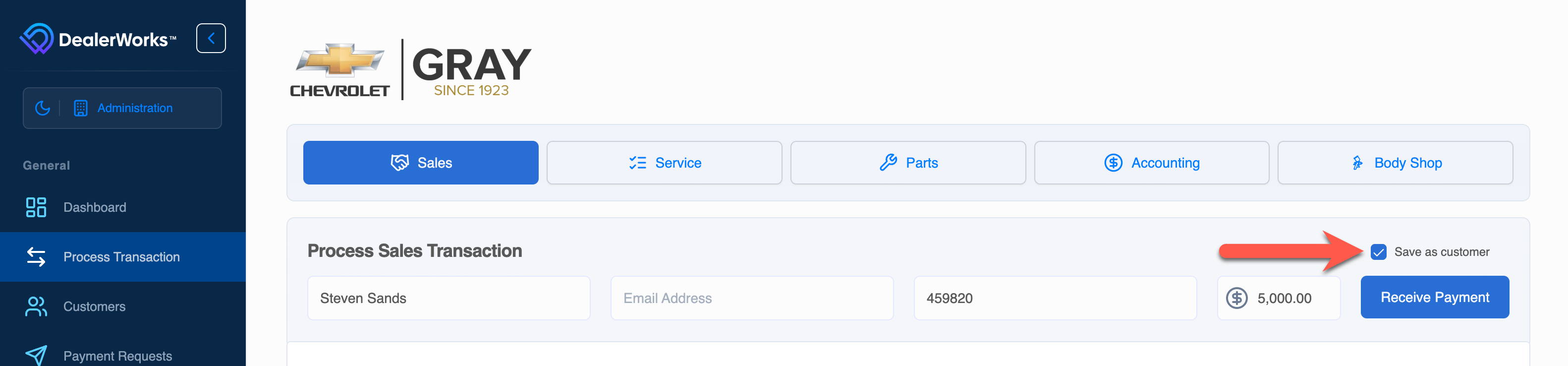
Customers can now be created and stored at the time of the transaction.
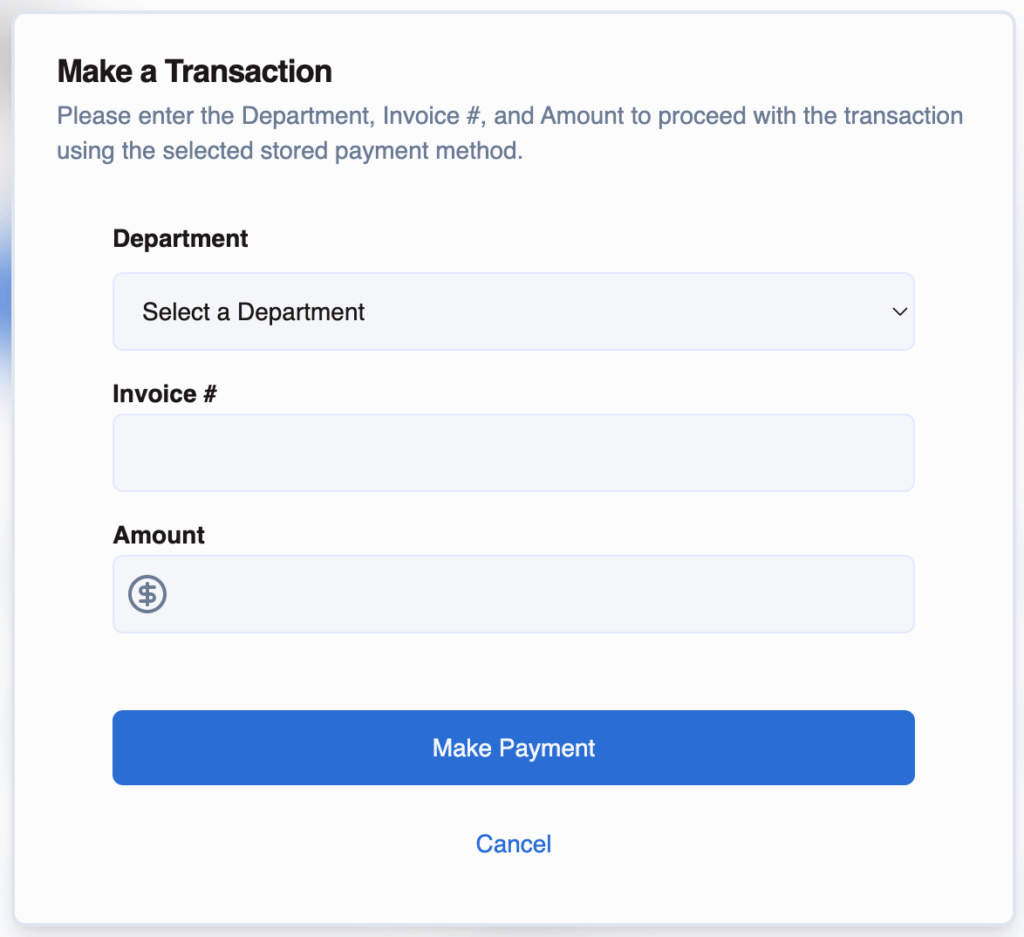
Transactions can now originate from the Customer page. Select the form of payment on the Customer page and maintain the Department, Invoice number, and Amount.
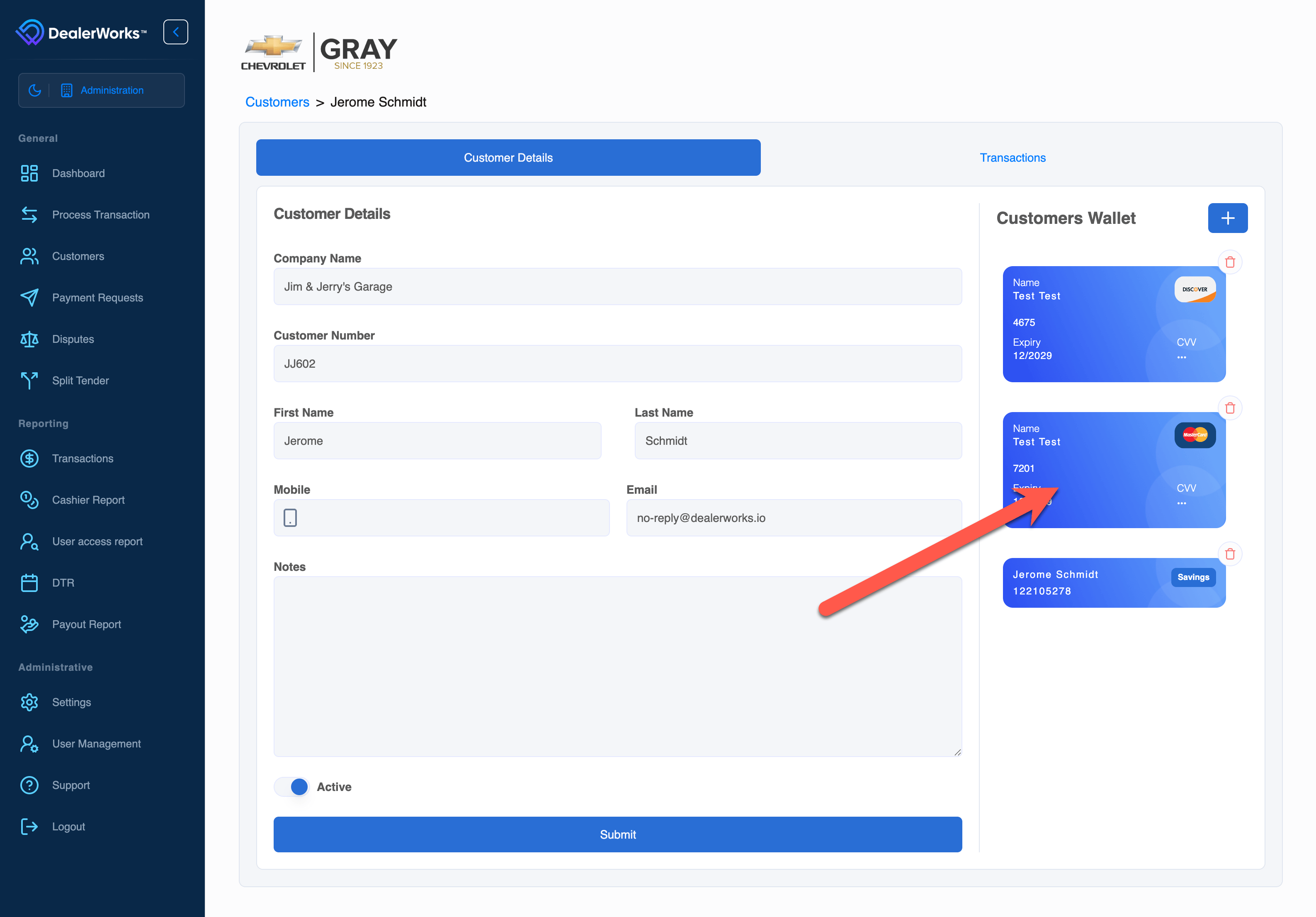
Additional Customer Enhancements
The Source icon now turns Red on declined transactions. A Red X has been added next to the transaction amount. Hovering your cursor over the X will reveal the decline code and reason.

Split a single purchase/transaction into multiple smaller payments. The smaller subsequent payments can be any form of payment, even multiple credit cards. Split Transactions must be enabled for your dealership and are permission-based. Contact your DealerWorks representative for more information regarding Split Transactions.
Quick filters have been added to show All or Canceled Payment Requests quickly. The default view shows only outstanding requests.
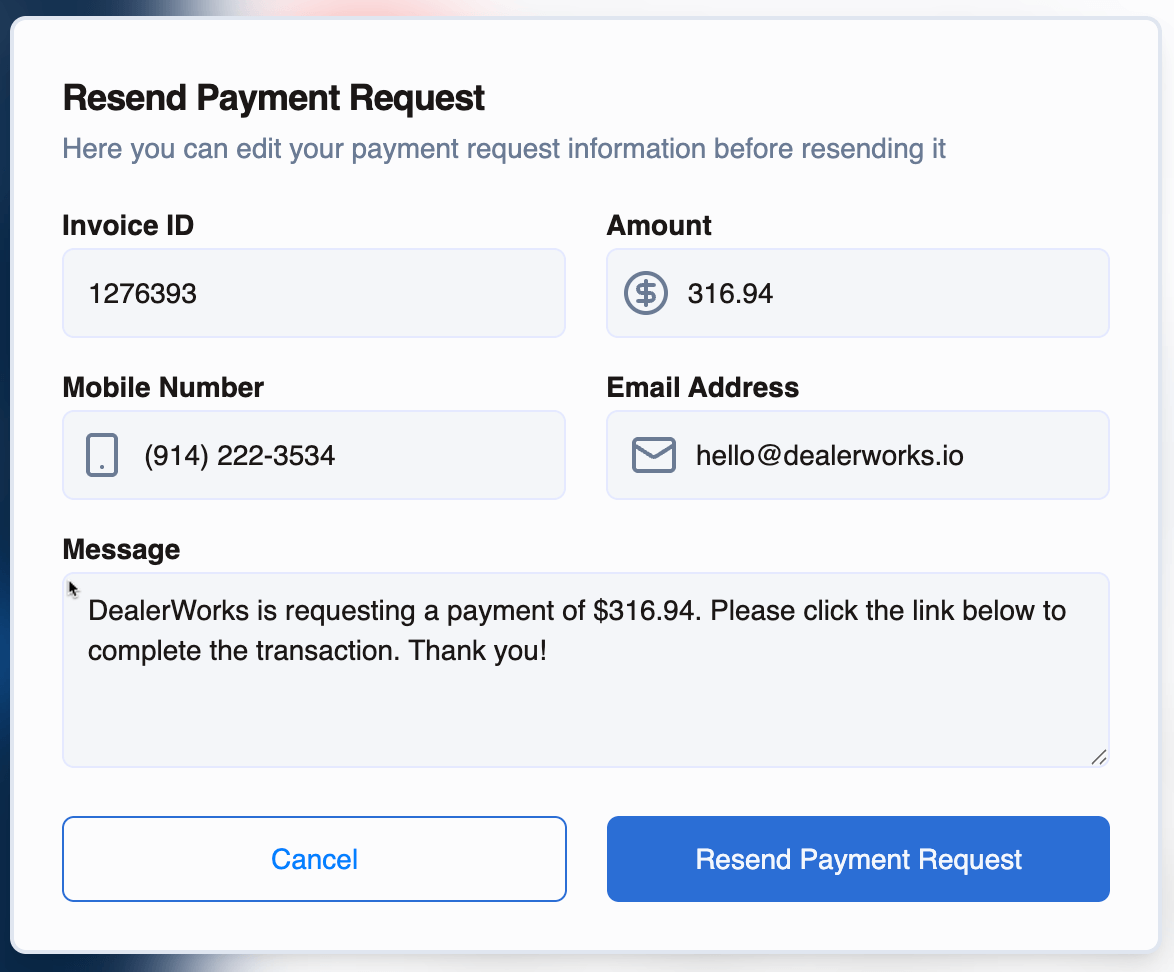
When resending a Payment Request, you can now update the transactional information, phone number, email address, and messaging to the customer.
We’re always listening to enhancement requests to make DealerWorks more powerful. Please keep them coming; we will do our best to get your request in future releases. If you need any assistance or have suggestions, please get in touch with us at hello@dealerworks.io or live chat with us on your DealerWorks Dashboard.