November 10, 2025
DealerWorks Version 2.3.0
Release notes for version 2.3.0
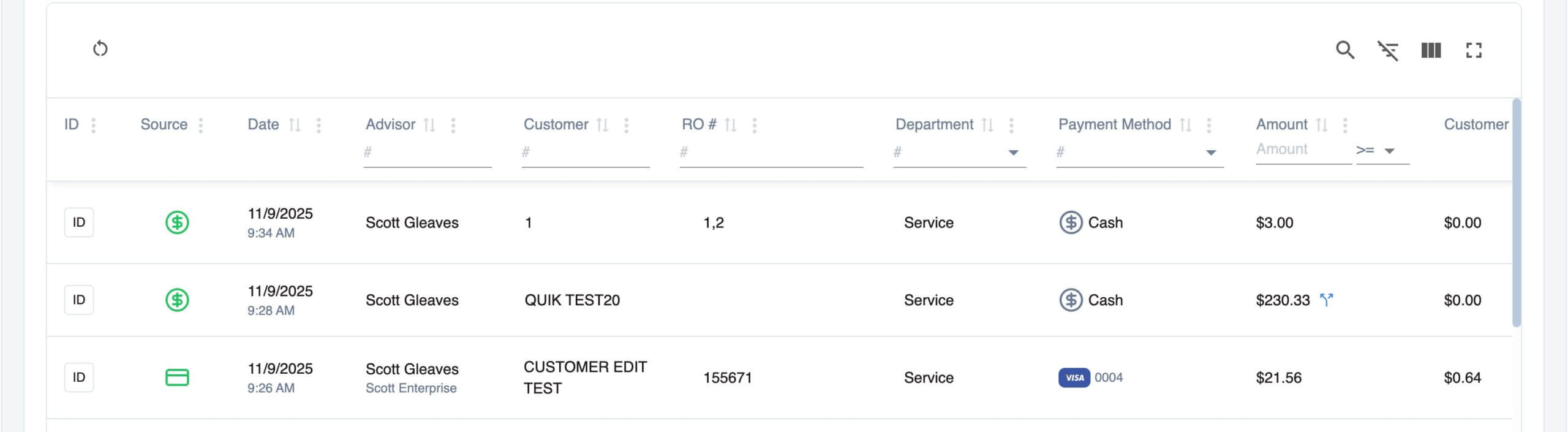
New Transaction Sorting and Filtering
A new table header has been implement allowing users to quickly filter results. Users can also easily sort, rearrange, and show/hide columns.
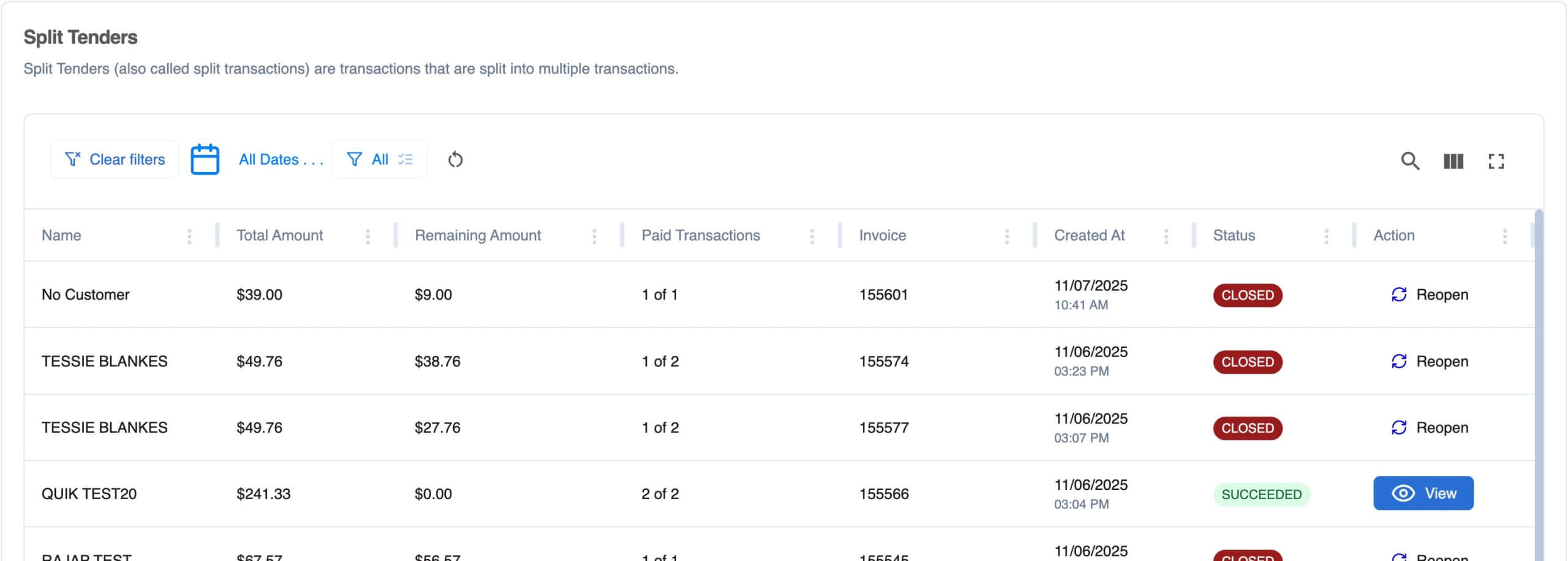
Split Tender Enhancements
- Split tenders now require a reason to be maintained in the notes field. Default notes are able to be set at a dealership level.
- Invoice Numbers have been added as a new column in the Split Transactions screen.
- Disputes have been relocated to the Reporting section.
- Ability to Close or Reopen a Split Transaction that has a balance
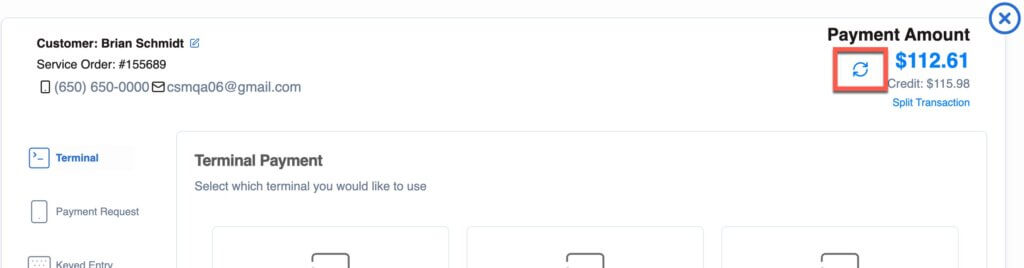
Payment Screen Updates
A simple sync button has been added to the Payments screen allowing users to query a DMS to validate the transaction balance.
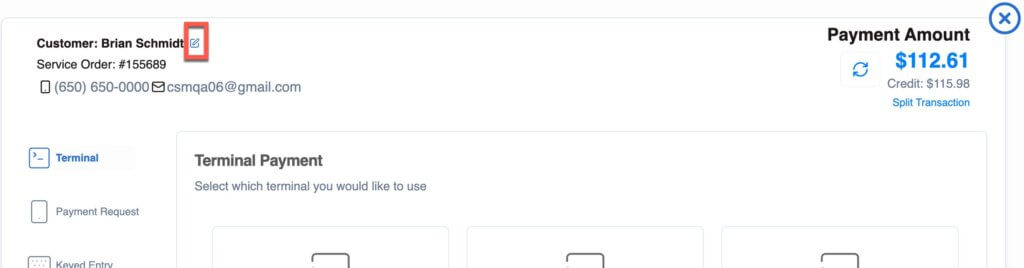
Customer information can now quickly and easily be edited from the Payments screen.
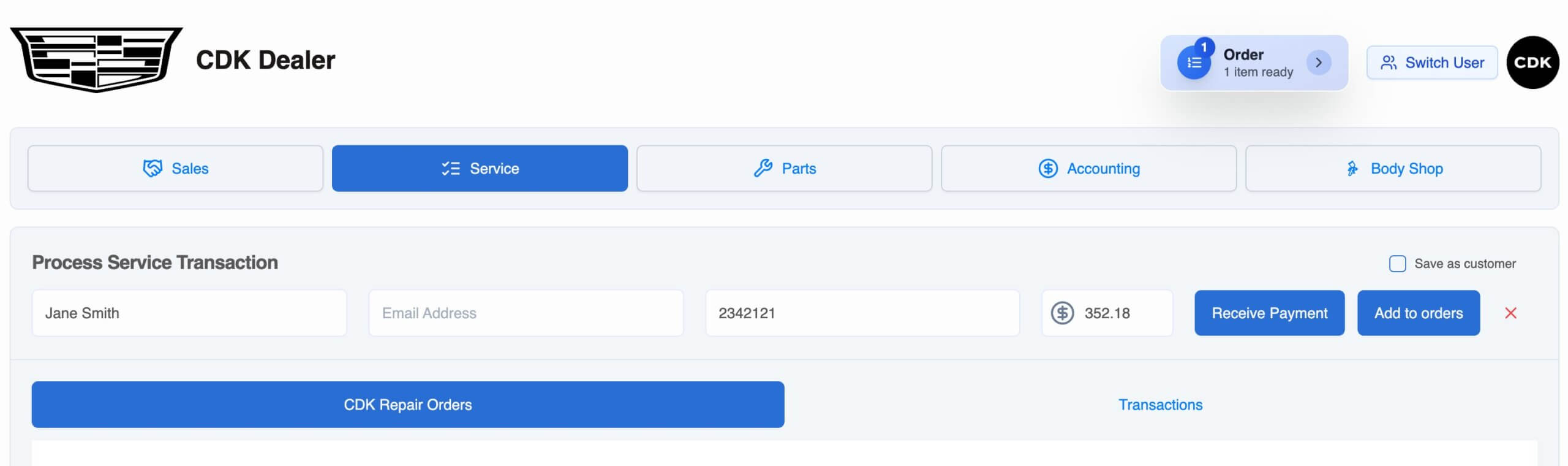
Multiple Manual Payment
User can now add multiple manual payments to an Order and then pay for them all with a single payment.
Other Enhancements
- Declined transactions automatically show in the Transaction list
- Disputes have been relocated to the Reporting section
- Credit Memo field has been added to Reversed Payments
- The Payout Report now links to Adyen
- Cashier can now record the name of the salesperson or advisor on transactions
- Dashboard enhancements
- ETR and DTR reporting updates
- Pricing profile updates
- Payment request default text updated
- Miscellaneous bug fixes
Talk to us!
We’re always listening to enhancement requests to make DealerWorks more powerful. Please keep them coming; we will do our best to get your request in future releases. If you need any assistance or have suggestions, please get in touch with us at hello@dealerworks.io or live chat with us on your DealerWorks Dashboard.